配置说明
Pyruns 的配置不是“堆一页键值对”。
它更像三层互相咬合的结构:
- workspace 级配置
- task 级数据
- shell runtime 策略
理解了这三层,很多行为都会一下子变得顺理成章。
1. 两个最重要的概念
workspace_kind
表示当前打开的工作区是什么:
scriptshell
task_kind
表示任务实际保存和执行的内容是什么:
configshell
这两个概念不要混淆:
workspace_kind影响页面能力和默认编辑模式task_kind影响任务文件结构和执行方式
2. 工作区目录结构
先看一句最重要的话:
scriptworkspace 围绕一个 Python 脚本组织shellworkspace 围绕一个目录里的命令任务组织
2.5 Script vs Shell:配置层面的区别
| 项目 | script 模式 | shell 模式 |
|---|---|---|
| 工作区对象 | 一个 Python 脚本 | 一个目录 |
| 常见入口 | pyr train.py | pyr |
| 任务文件 | config.yaml | config.sh |
| 典型用途 | 脚本调参、模板配置、批量实验 | 命令任务、批处理、终端工作流 |
| 运行重点 | 参数配置与脚本运行 | 原生命令执行 |
__PYRUNS_CONFIG__ | 可能使用 | 不使用 |
如果你在犹豫该选哪一个,经验上可以这样判断:
- 只要你有明确的 Python 入口脚本,优先选
script - 只有当你真正想管理的是“目录里的命令任务”时,再选
shell
Script Workspace
text
_pyruns_/
├─ _pyruns_settings.yaml
└─ main/
   ├─ script_info.json
   ├─ config_default.yaml
   └─ tasks/
Shell Workspace
text
_pyruns_/
├─ _pyruns_settings.yaml
└─ _shell_/
   ├─ script_info.json
   └─ tasks/
3. 任务目录结构
config 任务
text
tasks/<task_name>/
├─ task_info.json
├─ config.yaml
└─ run_logs/
   ├─ run1.log
   ├─ run2.log
   └─ error.log
shell 任务
text
tasks/<task_name>/
├─ task_info.json
├─ config.sh
└─ run_logs/
   ├─ run1.log
   ├─ run2.log
   └─ error.log
注意:
- Windows 下也仍然落盘为
config.sh - 变化的是执行策略,不是任务模型
4. script_info.json
Script Workspace 示例
json
{
  "workspace_kind": "script",
  "script_name": "train",
  "script_path": "D:/project/train.py"
}
Shell Workspace 示例
json
{
  "workspace_kind": "shell",
  "script_name": "_shell_",
  "script_path": ""
}
5. task_info.json
无论是 config 任务还是 shell 任务,都会保留统一的生命周期元信息。
典型字段如下:
json
{
  "name": "task_001",
  "status": "pending",
  "progress": 0.0,
  "created_at": "2026-03-19_12-00-00",
  "task_kind": "config",
  "config_file": "config.yaml",
  "start_times": [],
  "finish_times": [],
  "pids": [],
  "records": [],
  "tracks": []
}
对于 shell 任务:
json
{
  "task_kind": "shell",
  "config_file": "config.sh"
}
6. _pyruns_settings.yaml
位置:
text
<project>/_pyruns_/_pyruns_settings.yaml当前默认模板大致包含这些键:
yaml
ui_port: 8099
header_refresh_interval: 3

generator_form_columns: 4
generator_auto_timestamp: true
generator_mode: form

manager_columns: 5
manager_max_workers: 1
manager_execution_mode: thread
ui_page_size: 50

monitor_chunk_size: 50000
monitor_scrollback: 100000
monitor_sidebar_width_pct: 14

log_enabled: false
log_level: INFO

shell_mode: follow
shell_executable: ""
7. 重点配置项
header_refresh_interval
- 控制 Dashboard/Header 的轮询刷新频率
- 单位秒
- 最小值实际会被钳制到
1
monitor_sidebar_width_pct
- 控制 Monitor 左侧任务栏宽度百分比
- 当前前端直接按百分比使用
- 默认值现在是
14 - 不再额外做最小值 / 最大值限制
manager_execution_mode
threadprocess
主要影响批量运行时的调度方式。
shell_mode
可选值:
followcustom
语义:
follow:默认,跟随启动pyr的当前终端custom:显式指定shell_executable
shell_executable
只有在 shell_mode: custom 时才会生效。
8. shell 任务执行约束
当前 shell 任务的执行规则非常明确:
- 任务正文直接来自
config.sh - 不读取
config.yaml - 不注入
__PYRUNS_CONFIG__ - 继续继承当前 Python 进程环境
这意味着 shell 任务更接近:
“在启动
pyr的那个终端里,再执行一次同样的命令文本”
Windows
- 默认跟随 PowerShell 或 cmd
- 会用原生 wrapper 把
config.sh内容交给对应终端执行 - 不做 bash 语法模拟
Linux / macOS
- 默认跟随当前 shell
- 直接按当前 shell 语义执行
9. config 任务执行约束
config 任务仍然是 Python 任务主链路:
- 每个任务有自己的
config.yaml - executor 会注入
__PYRUNS_CONFIG__ pyruns.load()/pyruns.read()读取的是该任务自己的配置文件
10. 搜索与过滤
Manager 和 Monitor 的搜索框支持多行输入。
语义是:
- 每一行是一个 term
- 多行之间按 AND 匹配
- 会在任务名、preview、config_text、search_text、notes 等字段中做包含判断
这个行为和后端 filter_tasks 保持一致。
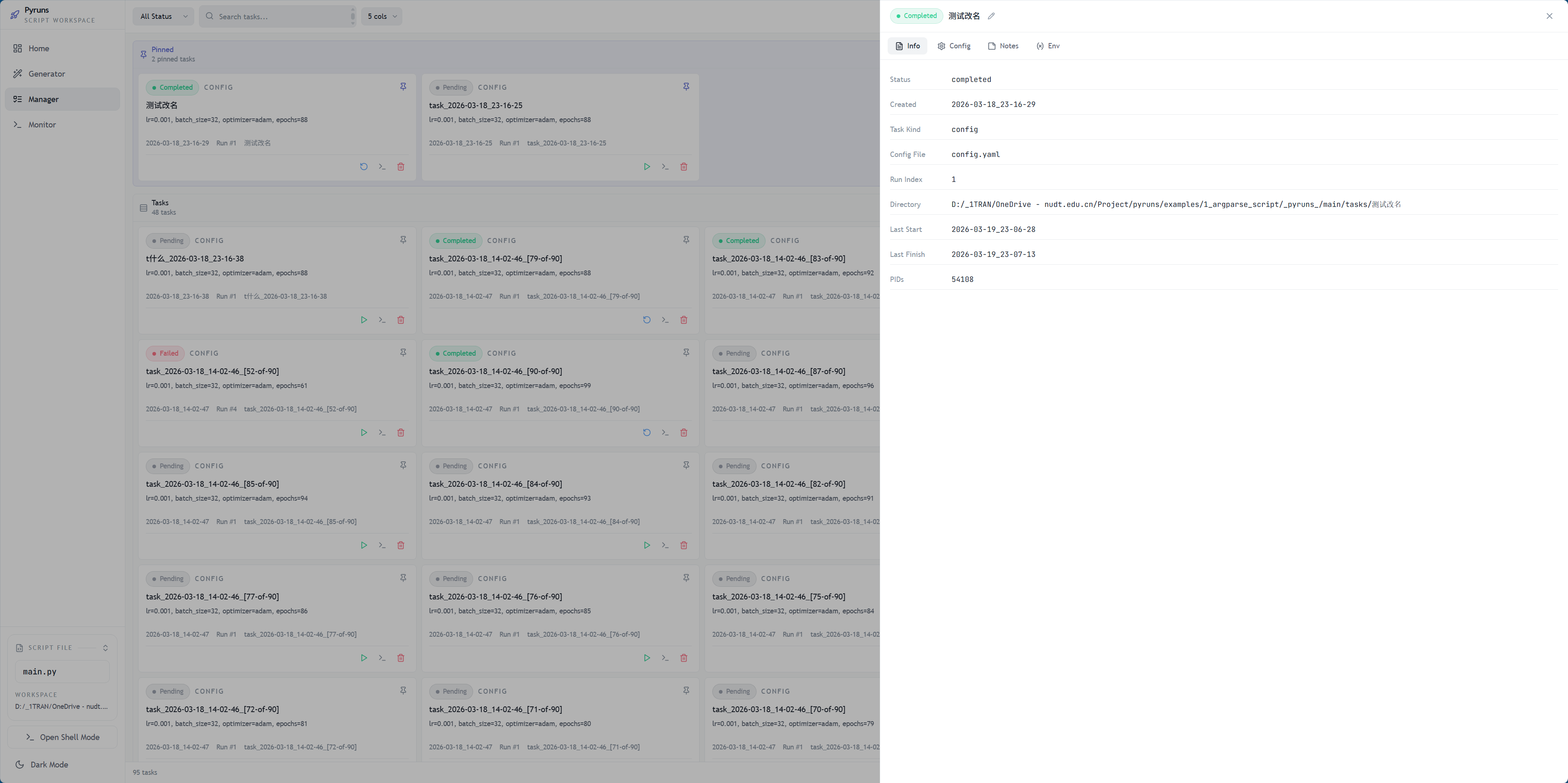
如果你要补一张“配置是怎么落到任务里的”展示图,最值得补的是:
task_info.json详情面板截图config.yaml/config.sh面板截图Env Vars面板截图